Reduzca riesgos y aumente su productividad con evaluaciones ergonómicas con visión computarizada.Evaluaciones 3D de ergonomía que entregan recomendaciones impulsadas por IA al instante. Sin equipo adicional ni sensores, solo su celular.
Reduce injuries by up to 68%.
3D ergonomics assessments that deliver instant, AI-powered recommendations. No wearables or equipment required.

Airline trainers are responsible for a lot: safety procedures, task proficiency, operational readiness, and recurrent training requirements.
But movement mechanics are difficult to assess consistently during fast-moving training sessions. Small issues like awkward posture, overreaching, repetitive strain, or inefficient movement patterns can go uncorrected, increasing injury risk over time.


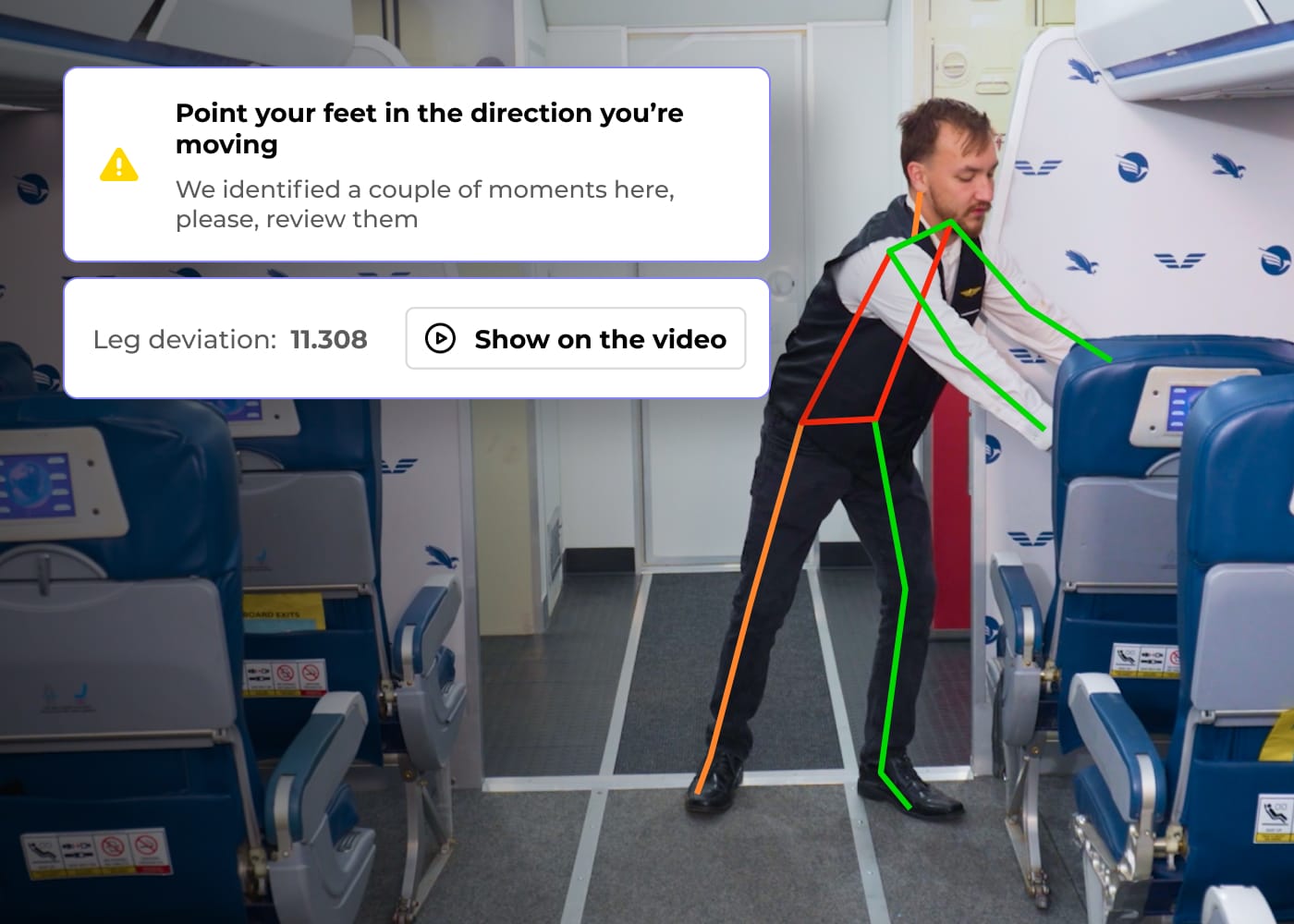
TuMeke Coach Pro brings computer vision into airline training environments.
Trainers can record a task, identify where movement deviates from airline-defined best practices, and show trainees exactly what needs to change, instantly. Instead of relying only on verbal feedback, teams get visual coaching they can understand and apply immediately.
The result is faster correction, more consistent coaching, and safer movement patterns without slowing down the training session.

Real-time movement coaching for flight attendant training, including aircraft door operation, cart handling, reaching, lifting, and onboard service tasks.
Explore Above Wing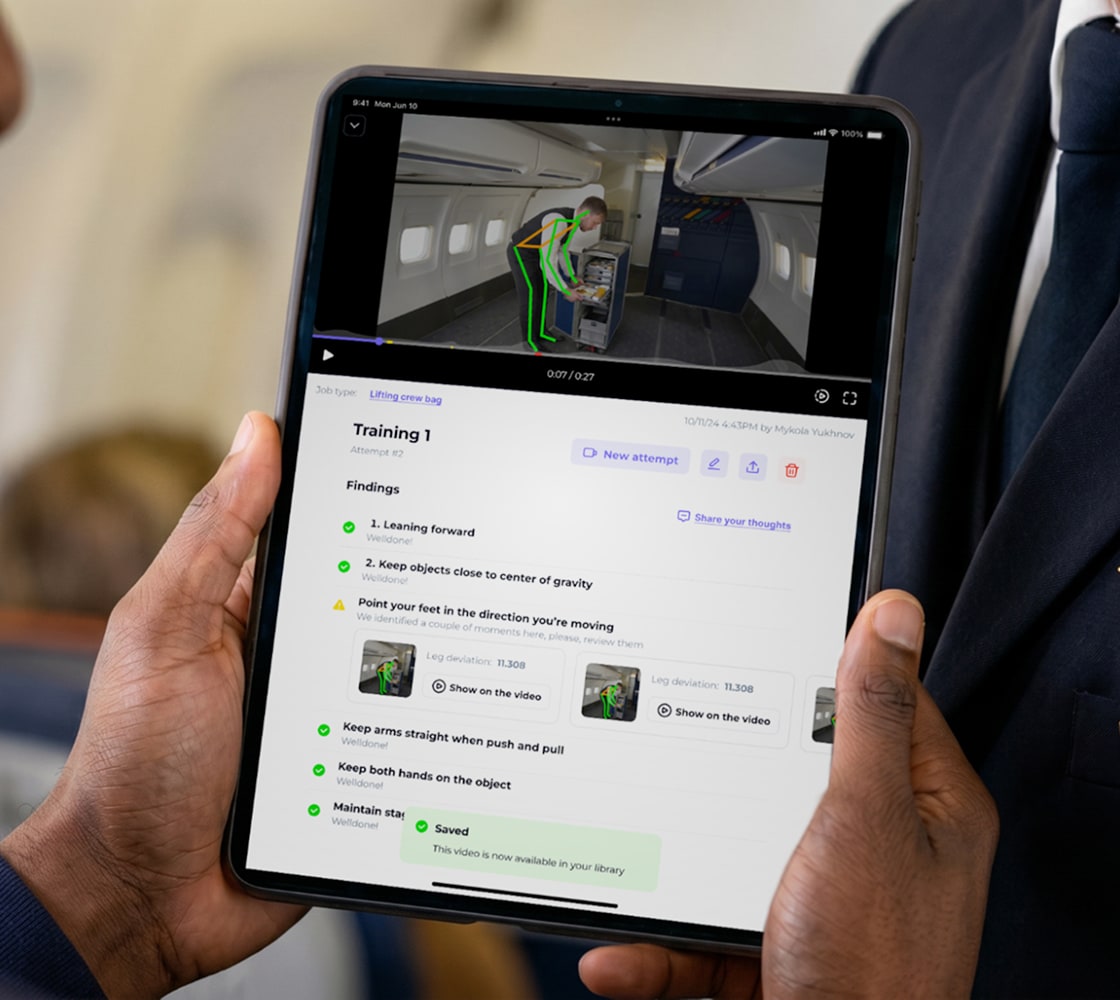
Movement coaching for baggage handlers and ground teams, including lifting, loading, pushing, pulling, carrying, and repetitive handling.
Explore Below Wing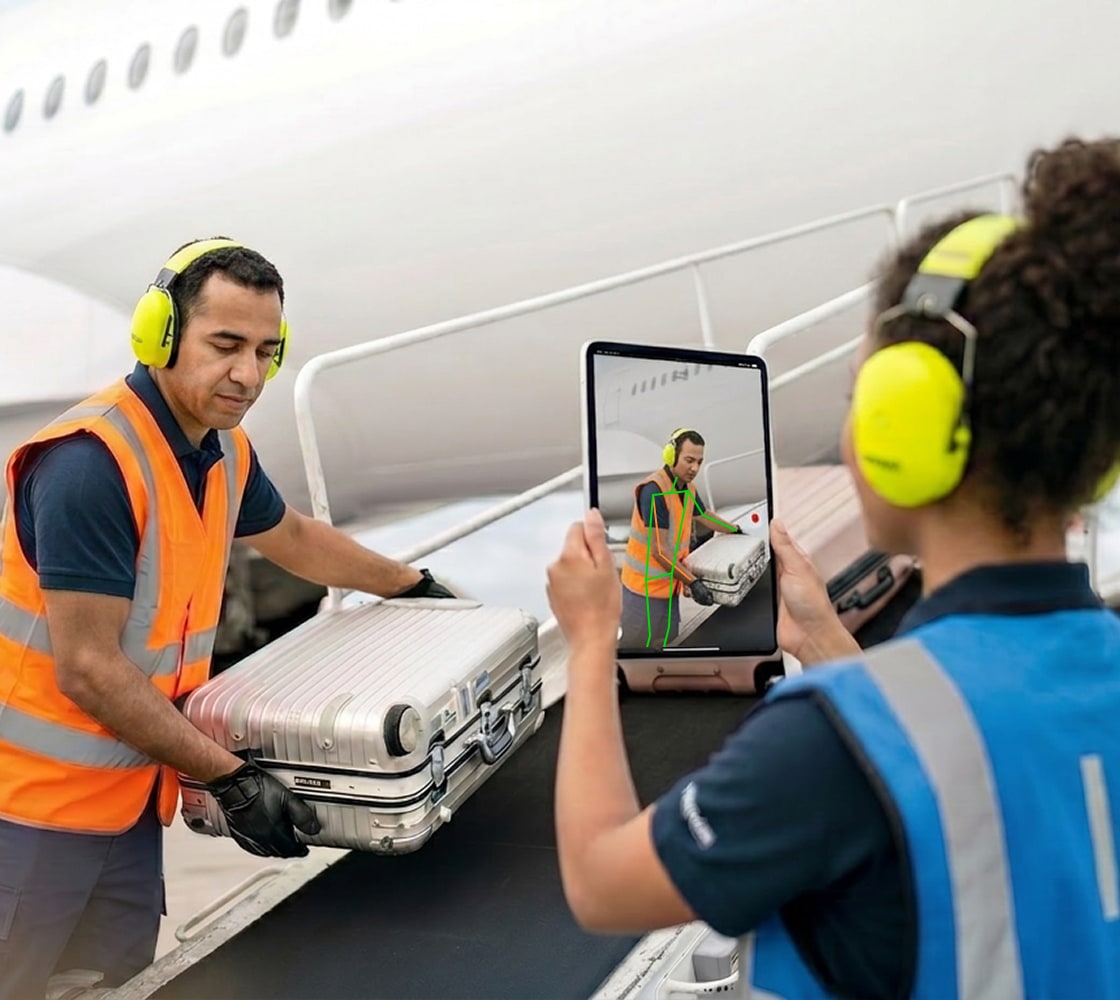


Basically, you can design anything that you can ever imagine. The main thing here is to have a parent container and two child elements. One for the FAQ question and another for FAQ answer. The child element for FAQ answer should be set to overflow: hidden and transform-origin set to top mid.
Depending on how fancy you want it to be but the concept here is to apply the interaction to the parent element. Use 'Mouse Click' interaction to resize the height of FAQ answer element. Initial state should be set to height: 0px. On first click, resize to height: auto and on second click, resize to height: 0px.
The first two steps pretty much got the main function works. As for the auto collapse, copy the code from the page custom code section before tag and paste into your project. Voila, that's all and you're good to go.

Airline training is highly structured, time-sensitive, and operationally complex. TuMeke Coach Pro was built for that environment.

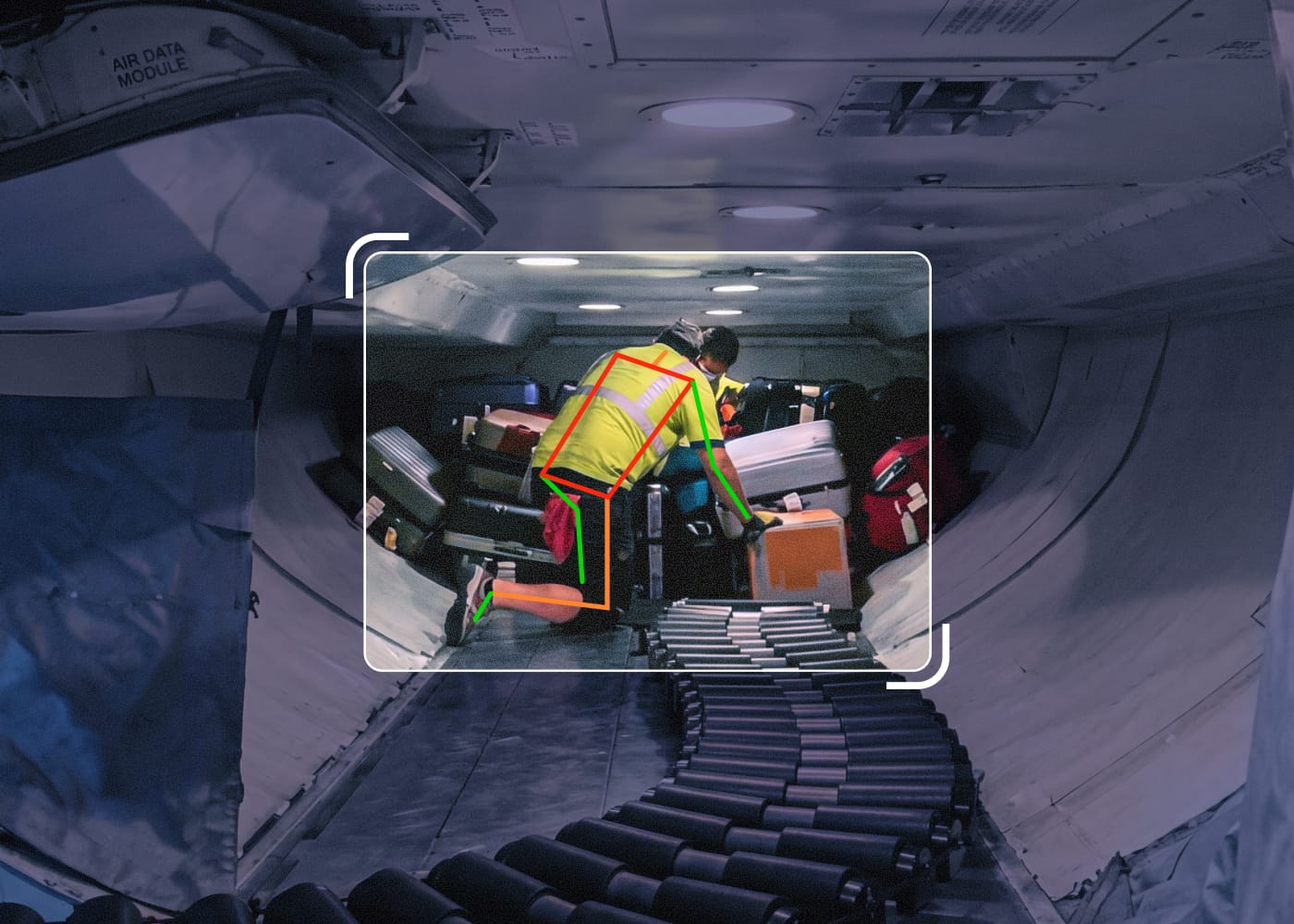
From flight attendant training to baggage handling workflows, Coach Pro gives trainers a simple way to add real-time movement coaching into existing programs. Capture tasks, review visual feedback, and correct unsafe movement before they become habits.

The result is more consistent coaching, better training visibility, and a practical way to reduce soft-tissue injury risk across frontline teams.
%201.svg)