


Prueba gratuita de 14 días
Realice evaluaciones ergonómicas ilimitadas durante dos semanas. Todo lo que necesitas es tu teléfono.

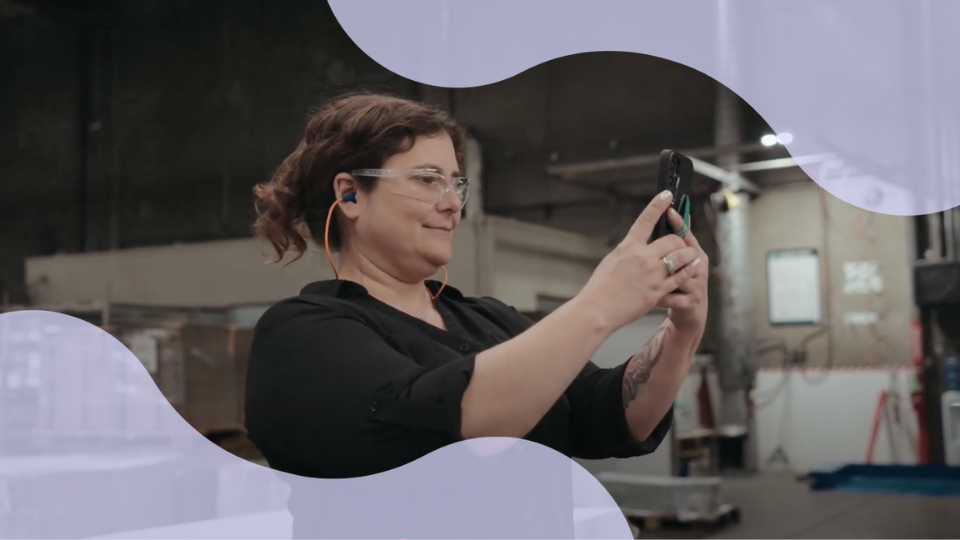
Un celular puede hacer que comenzar una evaluación ergonómica sea sorprendentemente sencillo. Grabe la tarea, analice el movimiento del trabajador y podrá empezar a identificar riesgos ergonómicos sin necesidad de instalar cámaras especializadas, sensores o equipos de captura de movimiento.
La parte difícil es capturar el trabajo correcto. El movimiento de alcanzar más peligroso puede ocurrir mientras se llena una tarima, la mayor fuerza al dar el primer empuje de un carrito, o la exposición más repetitiva durante una corrida larga de producción. Si solo graba un ciclo ideal y conveniente, podría obtener una evaluación clara, pero terminar con un panorama incompleto.
Esta guía explica cómo utilizar el video de un celular puede evaluar un puesto de trabajo de manera más efectiva: desde elegir la tarea adecuada y la grabación de un trabajo representativo, hasta cómo añadir el contexto que el video no puede mostrar y utilizar estos hallazgos para fundamentar una mejora.
"Evaluar al trabajador encargado del paletizado" es demasiado general. "Evaluar los levantamientos bajos requeridos cuando el trabajador retira las cargas finales" aporta una parte específica del trabajo a investigar.
Comience con el motivo por el cual la tarea requiere de su atención. Podría ser por:
El NIOSH recomienda el uso de registros, evaluaciones de tareas, observaciones y aportaciones de personas familiarizadas con el trabajo para identificar posibles riesgos ergonómicos.
Una vez que sepa por qué la tarea debe revisarse, pregunte al trabajador o al supervisor cómo cambia el trabajo durante la producción normal.
Esas respuestas definen lo que su celular necesita capturar. Sin ese contexto, es posible que grabe el trabajo con éxito pero pase por alto la parte que realmente necesita evaluarse.
Una vez que sepa qué es lo importante, la grabación tiene un objetivo específico: mostrar esa exposición en condiciones normales de trabajo.
Piense en el proceso de paletización. Un trabajador podría manipular cajas cómodamente a la altura de la cintura y luego estirarse cada vez más alto a medida que se llena la tarima. Grabar solo la parte más sencilla de la tarea le aportaría una imagen incompleta a la evaluación.
Use el celular para recolectar suficiente información de la tarea y entender cómo lo realiza realmente el trabajador:
La guía de grabación de video para el análisis ergonómico de puestos de trabajo del NIOSH sigue el mismo principio: capturar suficientes ciclos, ángulos de visión y variaciones de los trabajadores para crear una imagen representativa del trabajo.
Una vez que la grabación represente el movimiento fielmente, puede comenzar a preguntarse qué significa ese movimiento en el contexto del trabajo completo.
El video puede mostrar cómo un trabajador se inclina, estira, levanta objetos o se mueve durante una tarea. El mismo movimiento podría generar una exposición muy distinta dependiendo de la fuerza requerida, la frecuencia con la que ocurre y cuánto tiempo la realiza el trabajador.
Es por eso que el NIOSH identifica la fuerza, repetición y postura como factores de estrés físico importantes, donde el riesgo también se ve afectado por la intensidad, frecuencia y duración.
Una tarea de ensamblaje ligero puede parecer insignificante en un momento dado, pero el mismo movimiento de mano se repite durante gran parte del turno. Un carrito puede moverse fácilmente una vez que está rodando, mientras que el mayor esfuerzo ocurre durante el empuje inicial.
Dependiendo de la tarea, recopile información como:
Esa información ayuda a explicar el movimiento y determina qué método de evaluación será el adecuado para la tarea.
Diferentes métodos responden a diferentes preguntas ergonómicas. La guía de TuMeke para cómo elegir un método de evaluación ergonómica clasifica los enfoques comunes según los tipos de trabajo que evalúan:
El levantamiento demuestra por qué esa distinción es importante. La Ecuación de levantamiento revisada del NIOSH considera variables como el peso del objeto, la ubicación de las manos, distancia de desplazamiento, asimetría, frecuencia de levantamiento, duración y calidad del agarre.
El video ayuda a describir el movimiento. La información adicional del puesto le da a la evaluación el contexto necesario para interpretarla.
Una vez que la evaluación identifica dónde se acumula la exposición, el puntaje debe ayudar al equipo a responder una pregunta más útil: ¿Qué parte del trabajo debe cambiar?
La respuesta puede apuntar hacia:
Los trabajadores y el personal operativo deben ayudar a evaluar esas opciones. Un cambio puede reducir un riesgo y a la vez crear otro problema, o simplemente podría no adaptarse a la forma en que la producción se lleva a cabo en la realidad.
Una vez implementado el cambio, grabe la tarea nuevamente.
Asegúrese que la segunda evaluación sea lo suficientemente comparable a la primera. Si el video original muestra un contenedor lleno a velocidad de producción normal y el seguimiento muestra material más ligero o una configuración diferente, un puntaje más bajo podría reflejar esas diferencias en lugar de los efectos de la intervención.
El objetivo es comparar la tarea antes y después de un cambio ergonómico para que el equipo pueda determinar si la exposición identificada originalmente realmente mejoró.
Un celular facilita la captura de riesgos ergonómicos donde realmente ocurre el trabajo. Pero una evaluación útil debe ir más allá del video. Los equipos de seguridad necesitan una forma de analizar la tarea, comprender qué contribuye a la exposición, decidir dónde intervenir y verificar si el cambio funcionó.
TuMeke ayuda a conectar esos pasos en un flujo de trabajo de evaluación:
Comience con un trabajo que su equipo haya estado tratando de entender o mejorar. Analícelo con una prueba gratuita de 14 días de TuMeke o programe una demostración, y lleve el seguimiento de la misma tarea para ver qué está causando la exposición, dónde enfocar la intervención y si el cambio realmente marcó una diferencia.
Sí. El video puede utilizarse para observar el movimiento del trabajador, su postura, ciclos de tareas y otras exigencias físicas durante un trabajo. Una evaluación útil necesitará suficiente video para representar el trabajo y podría requerir información adicional sobre factores como fuerza, frecuencia, duración y carga. El NIOSH recomienda combinar la observación del puesto con información específica de la tarea.
La grabación debe mostrar el cuerpo del trabajador junto con la estación de trabajo, los materiales, herramientas o equipo involucrados en la tarea. Capture ciclos de trabajo completos y cualquier cambio en la posición o configuración que afecte la forma en que se realiza la tarea. Puede ser útil contar con ángulos de visión variados cuando un solo ángulo no muestre claramente el movimiento que se está evaluando.
Grabe suficientes ciclos para capturar el rango normal de la tarea en lugar de depender de una sola repetición. La cantidad dependerá de qué tanta variación tenga el trabajo. Si la posición del material, técnica del trabajador, condiciones de producción u otros factores cambian frecuentemente durante la tarea, la grabación debe capturar esas diferencias en lugar de solo incluir el ciclo más sencillo.
Divida el trabajo según las condiciones o segmentos de tarea que cambian físicamente la exposición. Esto podría significar grabar una tarima a diferentes alturas, un contenedor conforme se vacía, el trabajo de preparación y producción, o diferentes corridas de producto. El NIOSH recomienda considerar la intensidad, frecuencia y duración de las exposiciones al evaluar el riesgo ergonómico.
Recopile los detalles del trabajo necesarios para interpretar lo que muestra el video. Dependiendo de la tarea, esto podría incluir el peso de la carga, frecuencia de la tarea, duración de la exposición, dimensiones de la estación de trabajo, características de herramientas, fuerza requerida, rotación laboral y comentarios del trabajador. El NIOSH recomienda complementar la observación con mediciones de la tarea y del lugar de trabajo cuando sea necesario.
%201.svg)


.jpg)

.jpg)
.jpg)

Un celular puede hacer que comenzar una evaluación ergonómica sea sorprendentemente sencillo. Grabe la tarea, analice el movimiento del trabajador y podrá empezar a identificar riesgos ergonómicos sin necesidad de instalar cámaras especializadas, sensores o equipos de captura de movimiento.
La parte difícil es capturar el trabajo correcto. El movimiento de alcanzar más peligroso puede ocurrir mientras se llena una tarima, la mayor fuerza al dar el primer empuje de un carrito, o la exposición más repetitiva durante una corrida larga de producción. Si solo graba un ciclo ideal y conveniente, podría obtener una evaluación clara, pero terminar con un panorama incompleto.
Esta guía explica cómo utilizar el video de un celular puede evaluar un puesto de trabajo de manera más efectiva: desde elegir la tarea adecuada y la grabación de un trabajo representativo, hasta cómo añadir el contexto que el video no puede mostrar y utilizar estos hallazgos para fundamentar una mejora.
"Evaluar al trabajador encargado del paletizado" es demasiado general. "Evaluar los levantamientos bajos requeridos cuando el trabajador retira las cargas finales" aporta una parte específica del trabajo a investigar.
Comience con el motivo por el cual la tarea requiere de su atención. Podría ser por:
El NIOSH recomienda el uso de registros, evaluaciones de tareas, observaciones y aportaciones de personas familiarizadas con el trabajo para identificar posibles riesgos ergonómicos.
Una vez que sepa por qué la tarea debe revisarse, pregunte al trabajador o al supervisor cómo cambia el trabajo durante la producción normal.
Esas respuestas definen lo que su celular necesita capturar. Sin ese contexto, es posible que grabe el trabajo con éxito pero pase por alto la parte que realmente necesita evaluarse.
Una vez que sepa qué es lo importante, la grabación tiene un objetivo específico: mostrar esa exposición en condiciones normales de trabajo.
Piense en el proceso de paletización. Un trabajador podría manipular cajas cómodamente a la altura de la cintura y luego estirarse cada vez más alto a medida que se llena la tarima. Grabar solo la parte más sencilla de la tarea le aportaría una imagen incompleta a la evaluación.
Use el celular para recolectar suficiente información de la tarea y entender cómo lo realiza realmente el trabajador:
La guía de grabación de video para el análisis ergonómico de puestos de trabajo del NIOSH sigue el mismo principio: capturar suficientes ciclos, ángulos de visión y variaciones de los trabajadores para crear una imagen representativa del trabajo.
Una vez que la grabación represente el movimiento fielmente, puede comenzar a preguntarse qué significa ese movimiento en el contexto del trabajo completo.
El video puede mostrar cómo un trabajador se inclina, estira, levanta objetos o se mueve durante una tarea. El mismo movimiento podría generar una exposición muy distinta dependiendo de la fuerza requerida, la frecuencia con la que ocurre y cuánto tiempo la realiza el trabajador.
Es por eso que el NIOSH identifica la fuerza, repetición y postura como factores de estrés físico importantes, donde el riesgo también se ve afectado por la intensidad, frecuencia y duración.
Una tarea de ensamblaje ligero puede parecer insignificante en un momento dado, pero el mismo movimiento de mano se repite durante gran parte del turno. Un carrito puede moverse fácilmente una vez que está rodando, mientras que el mayor esfuerzo ocurre durante el empuje inicial.
Dependiendo de la tarea, recopile información como:
Esa información ayuda a explicar el movimiento y determina qué método de evaluación será el adecuado para la tarea.
Diferentes métodos responden a diferentes preguntas ergonómicas. La guía de TuMeke para cómo elegir un método de evaluación ergonómica clasifica los enfoques comunes según los tipos de trabajo que evalúan:
El levantamiento demuestra por qué esa distinción es importante. La Ecuación de levantamiento revisada del NIOSH considera variables como el peso del objeto, la ubicación de las manos, distancia de desplazamiento, asimetría, frecuencia de levantamiento, duración y calidad del agarre.
El video ayuda a describir el movimiento. La información adicional del puesto le da a la evaluación el contexto necesario para interpretarla.
Una vez que la evaluación identifica dónde se acumula la exposición, el puntaje debe ayudar al equipo a responder una pregunta más útil: ¿Qué parte del trabajo debe cambiar?
La respuesta puede apuntar hacia:
Los trabajadores y el personal operativo deben ayudar a evaluar esas opciones. Un cambio puede reducir un riesgo y a la vez crear otro problema, o simplemente podría no adaptarse a la forma en que la producción se lleva a cabo en la realidad.
Una vez implementado el cambio, grabe la tarea nuevamente.
Asegúrese que la segunda evaluación sea lo suficientemente comparable a la primera. Si el video original muestra un contenedor lleno a velocidad de producción normal y el seguimiento muestra material más ligero o una configuración diferente, un puntaje más bajo podría reflejar esas diferencias en lugar de los efectos de la intervención.
El objetivo es comparar la tarea antes y después de un cambio ergonómico para que el equipo pueda determinar si la exposición identificada originalmente realmente mejoró.
Un celular facilita la captura de riesgos ergonómicos donde realmente ocurre el trabajo. Pero una evaluación útil debe ir más allá del video. Los equipos de seguridad necesitan una forma de analizar la tarea, comprender qué contribuye a la exposición, decidir dónde intervenir y verificar si el cambio funcionó.
TuMeke ayuda a conectar esos pasos en un flujo de trabajo de evaluación:
Comience con un trabajo que su equipo haya estado tratando de entender o mejorar. Analícelo con una prueba gratuita de 14 días de TuMeke o programe una demostración, y lleve el seguimiento de la misma tarea para ver qué está causando la exposición, dónde enfocar la intervención y si el cambio realmente marcó una diferencia.
Sí. El video puede utilizarse para observar el movimiento del trabajador, su postura, ciclos de tareas y otras exigencias físicas durante un trabajo. Una evaluación útil necesitará suficiente video para representar el trabajo y podría requerir información adicional sobre factores como fuerza, frecuencia, duración y carga. El NIOSH recomienda combinar la observación del puesto con información específica de la tarea.
La grabación debe mostrar el cuerpo del trabajador junto con la estación de trabajo, los materiales, herramientas o equipo involucrados en la tarea. Capture ciclos de trabajo completos y cualquier cambio en la posición o configuración que afecte la forma en que se realiza la tarea. Puede ser útil contar con ángulos de visión variados cuando un solo ángulo no muestre claramente el movimiento que se está evaluando.
Grabe suficientes ciclos para capturar el rango normal de la tarea en lugar de depender de una sola repetición. La cantidad dependerá de qué tanta variación tenga el trabajo. Si la posición del material, técnica del trabajador, condiciones de producción u otros factores cambian frecuentemente durante la tarea, la grabación debe capturar esas diferencias en lugar de solo incluir el ciclo más sencillo.
Divida el trabajo según las condiciones o segmentos de tarea que cambian físicamente la exposición. Esto podría significar grabar una tarima a diferentes alturas, un contenedor conforme se vacía, el trabajo de preparación y producción, o diferentes corridas de producto. El NIOSH recomienda considerar la intensidad, frecuencia y duración de las exposiciones al evaluar el riesgo ergonómico.
Recopile los detalles del trabajo necesarios para interpretar lo que muestra el video. Dependiendo de la tarea, esto podría incluir el peso de la carga, frecuencia de la tarea, duración de la exposición, dimensiones de la estación de trabajo, características de herramientas, fuerza requerida, rotación laboral y comentarios del trabajador. El NIOSH recomienda complementar la observación con mediciones de la tarea y del lugar de trabajo cuando sea necesario.